Introduction
A React + Hono toolkit that puts a browser UI on the Claude Agent SDK — the same agentic framework that powers Claude Code. Streams tool calls, file edits, permissions, and multi-turn sessions over SSE into ready-made React components.
The same agentic loop that powers Claude Code — now in your browser.
Two Claude agents playing chess — with custom move widgets, extended thinking, and a live board. Built with neeter.
Why neeter
The Claude Agent SDK gives you a powerful agentic loop — but it's a server-side AsyncGenerator with no opinion on how to get those events to a browser. neeter bridges that gap:
- Multi-turn persistent sessions —
PushChannel+SessionManagerlet users send messages at any time. Messages queue and the SDK picks them up when ready — no "wait for the agent to finish" lockout. - Named SSE event routing — The SDK yields a flat stream of internal message types. The
MessageTranslatorreshapes them into semantically named SSE events (text_delta,tool_start,tool_call,tool_result, ...) that the browser'sEventSourcecan route with nativeaddEventListener. - UI-friendly tool lifecycle — Tool calls move through
pending→streaming_input→running→completephases with streaming JSON input, giving your UI fine-grained control over loading states and progressive rendering. - Structured custom events — Hook into tool results with
onToolResultand emit typed{ name, value }events for app-specific reactivity (e.g. "document saved", "data refreshed") without touching the core protocol. - Browser-side tool approval — The SDK's
canUseToolcallback fires on the server, but your users are in the browser.PermissionGatebridges the gap with deferred promises, SSE events, and an HTTP POST endpoint — the agent blocks until the user clicks Allow/Deny or answers a clarifying question. - Session resume & persistence — The SDK persists conversations on disk.
SessionManagercaptures the SDK session ID, exposesresume()for continuing past conversations, and accepts a pluggableSessionStorefor persisting event history across server restarts. The built-increateJsonSessionStorewrites append-only JSONL files; on resume,replayEventsreconstructs the UI from stored events. - Client-server separation — Server handles transport (SSE encoding, session routing). Client handles state (Zustand store, React components). The translator is the clean seam between them.
Built-in widgets
11 purpose-built React components for every SDK tool — streaming in real time with approval gates, loading states, and rich formatting.
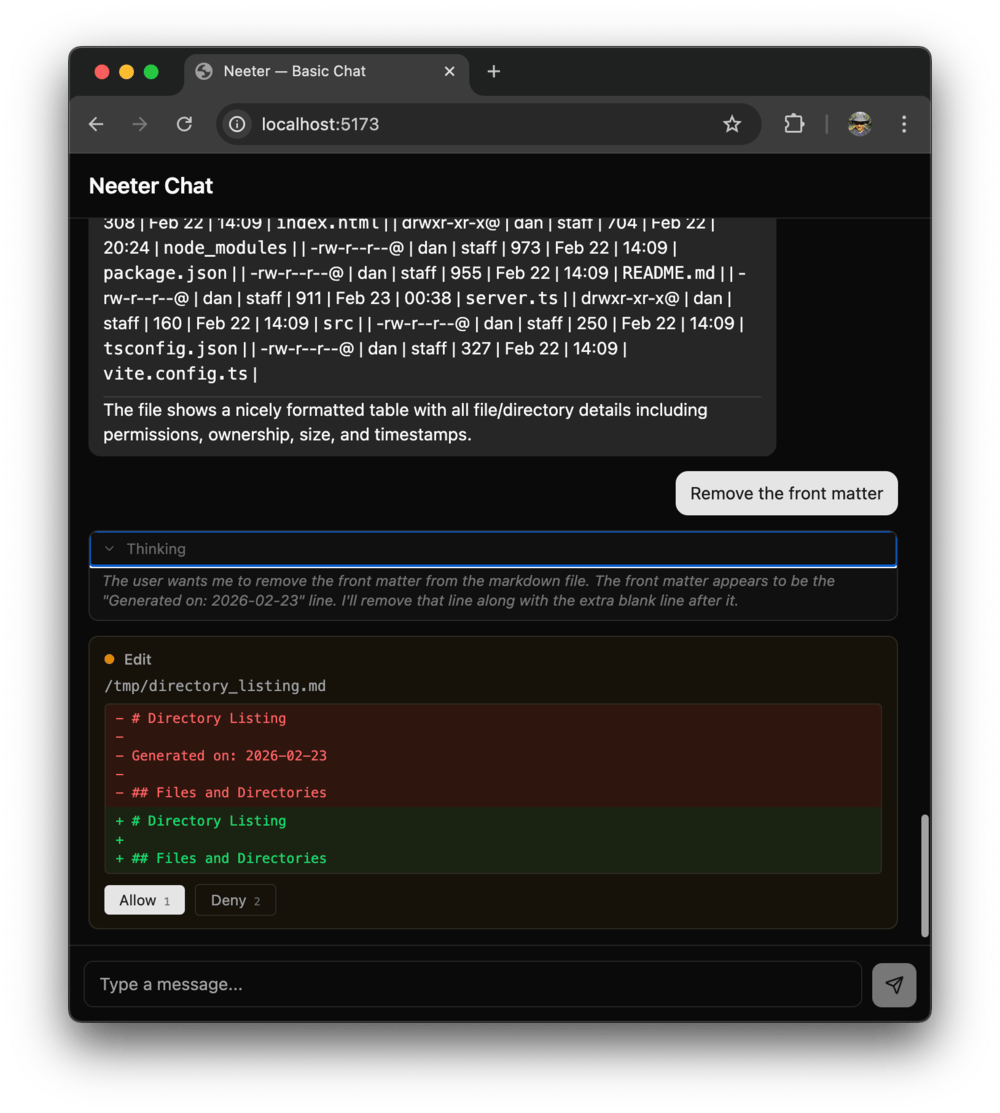 | 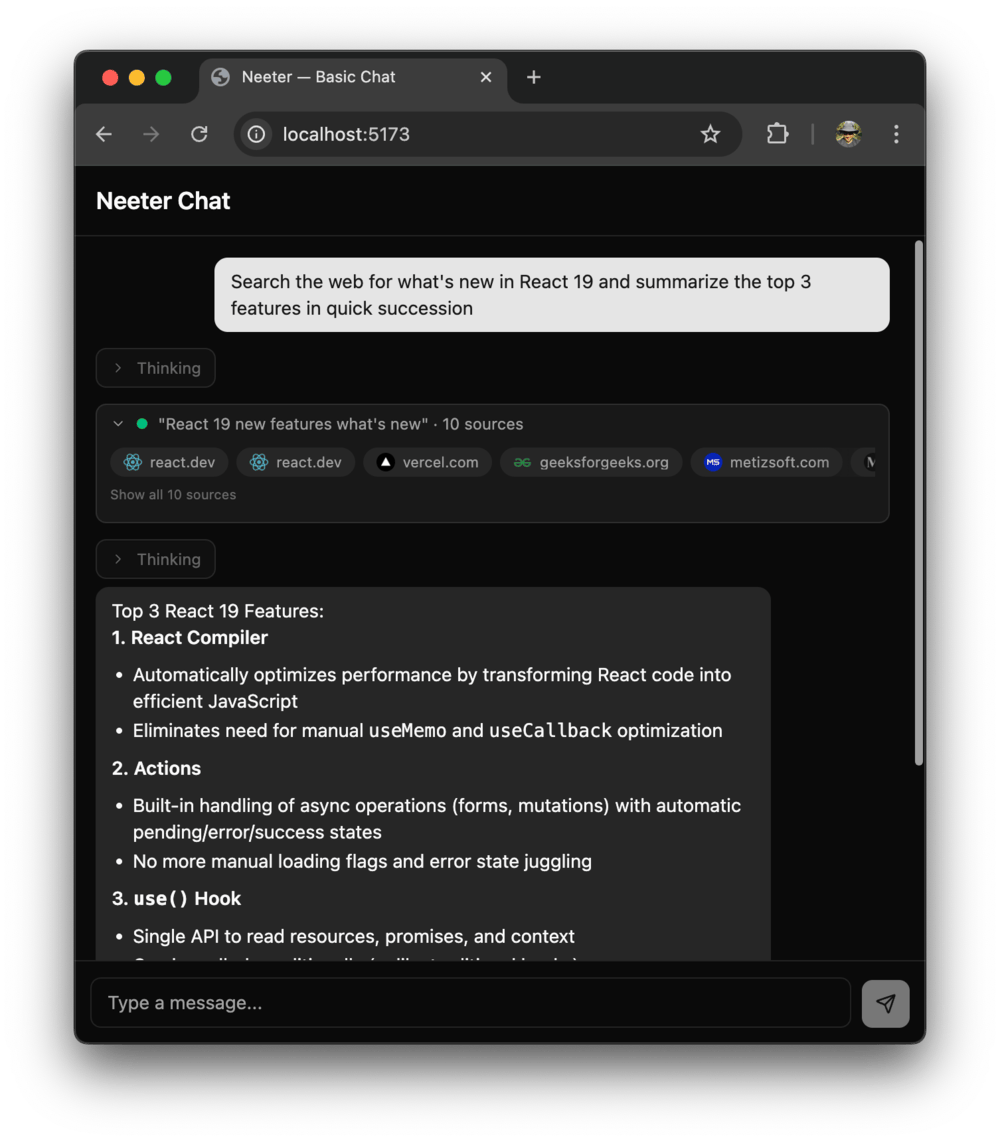 | 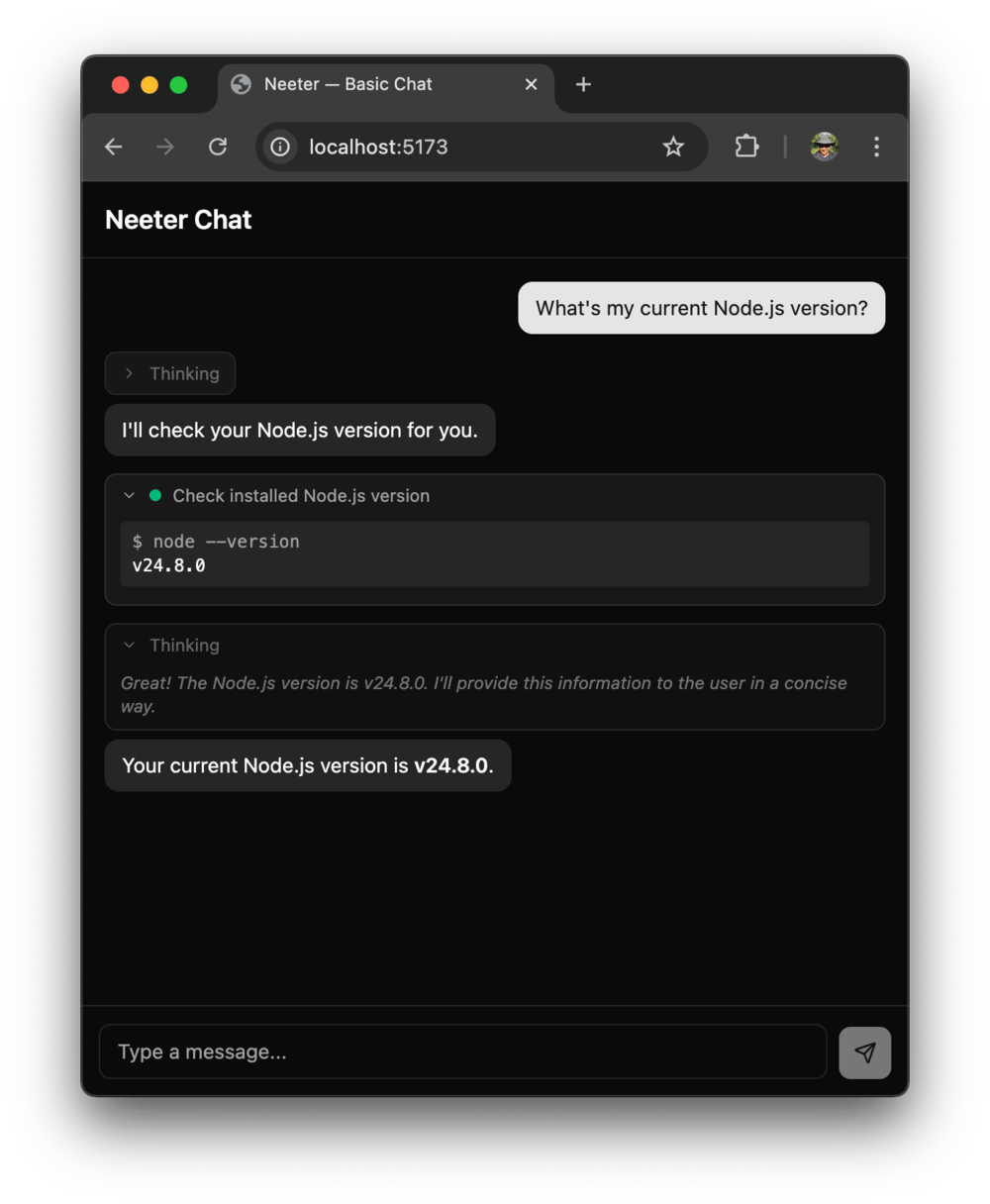 |
| Edit — red/green diffs | WebSearch — favicon pills | Bash — command + output |
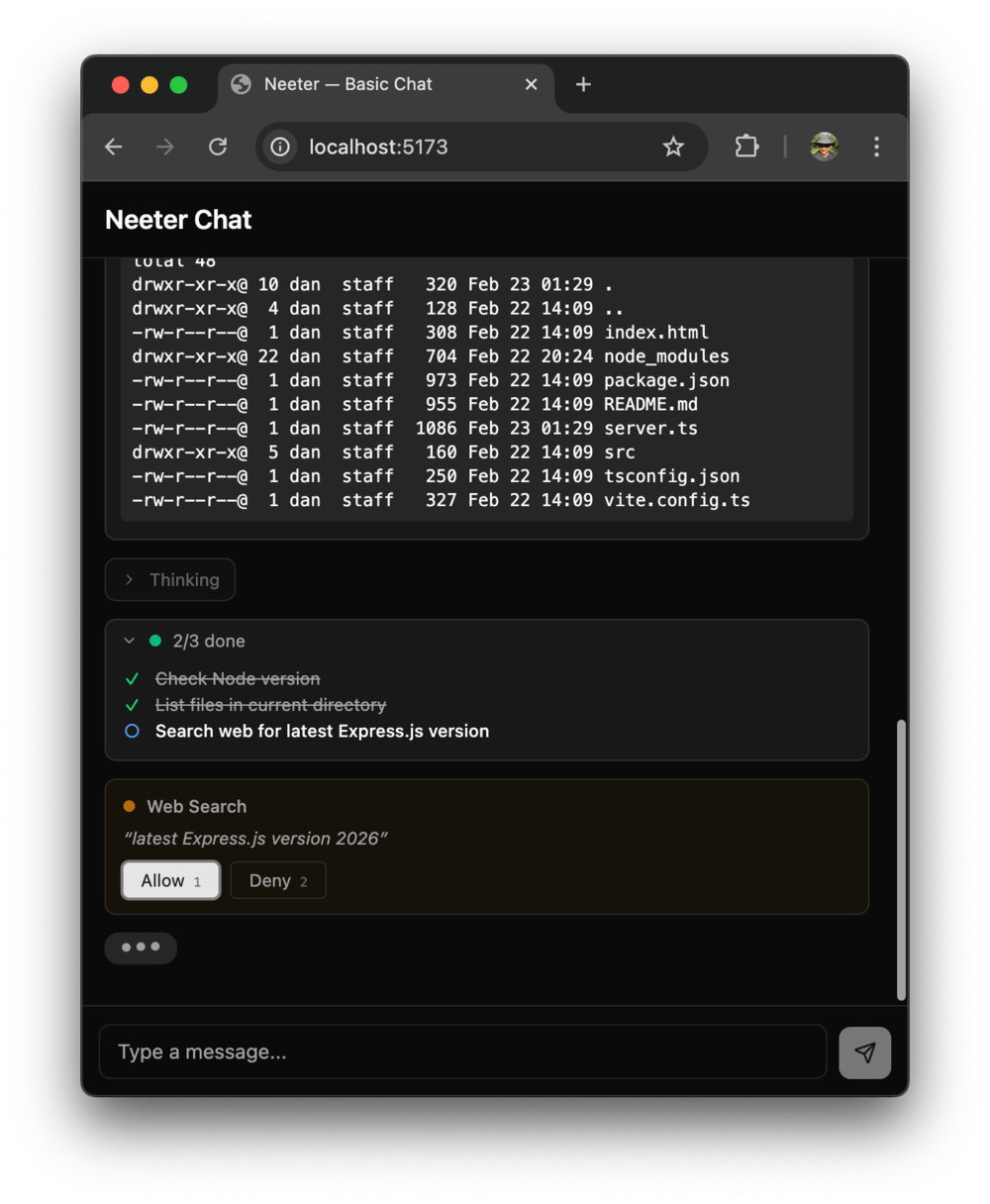 | 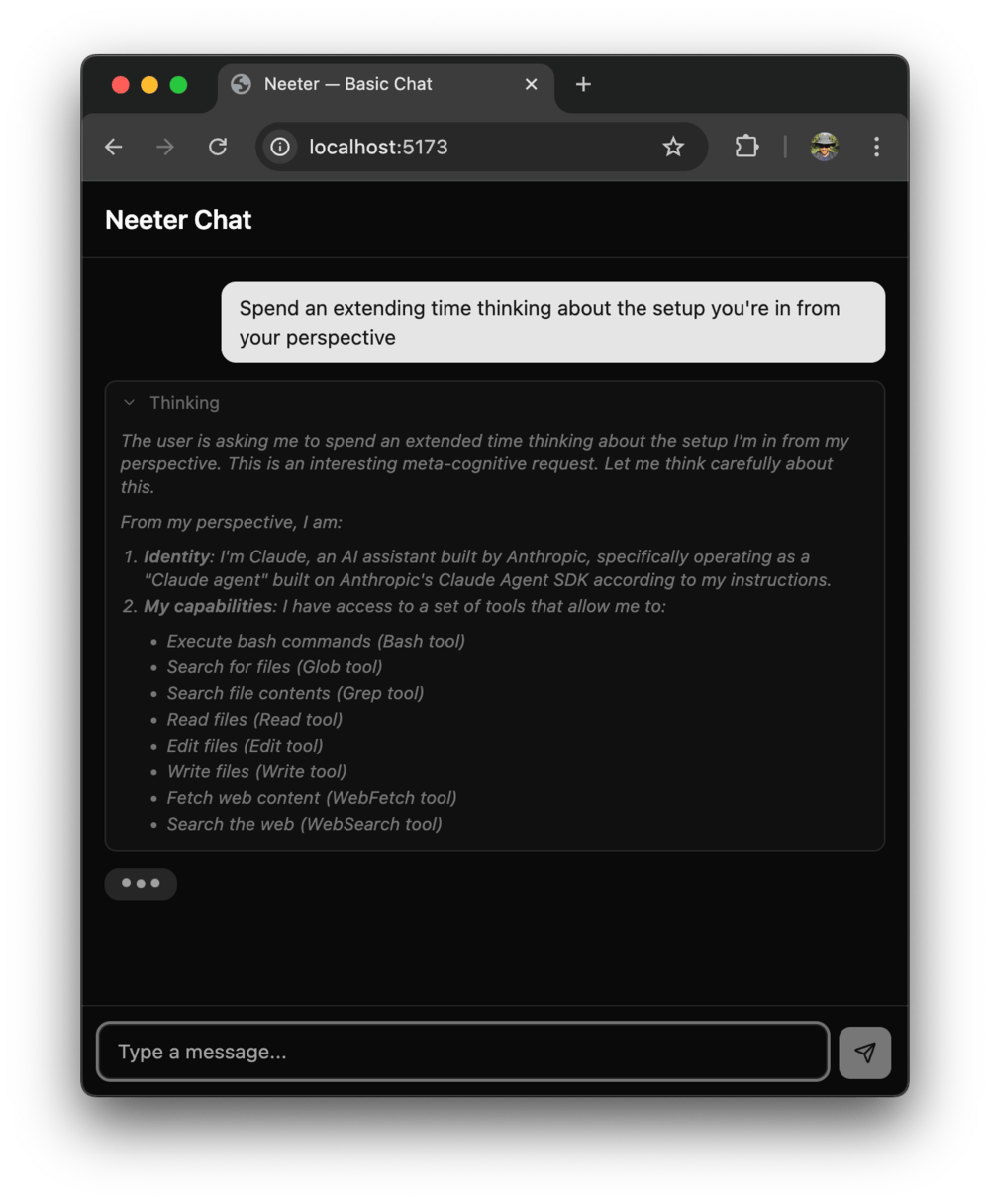 | 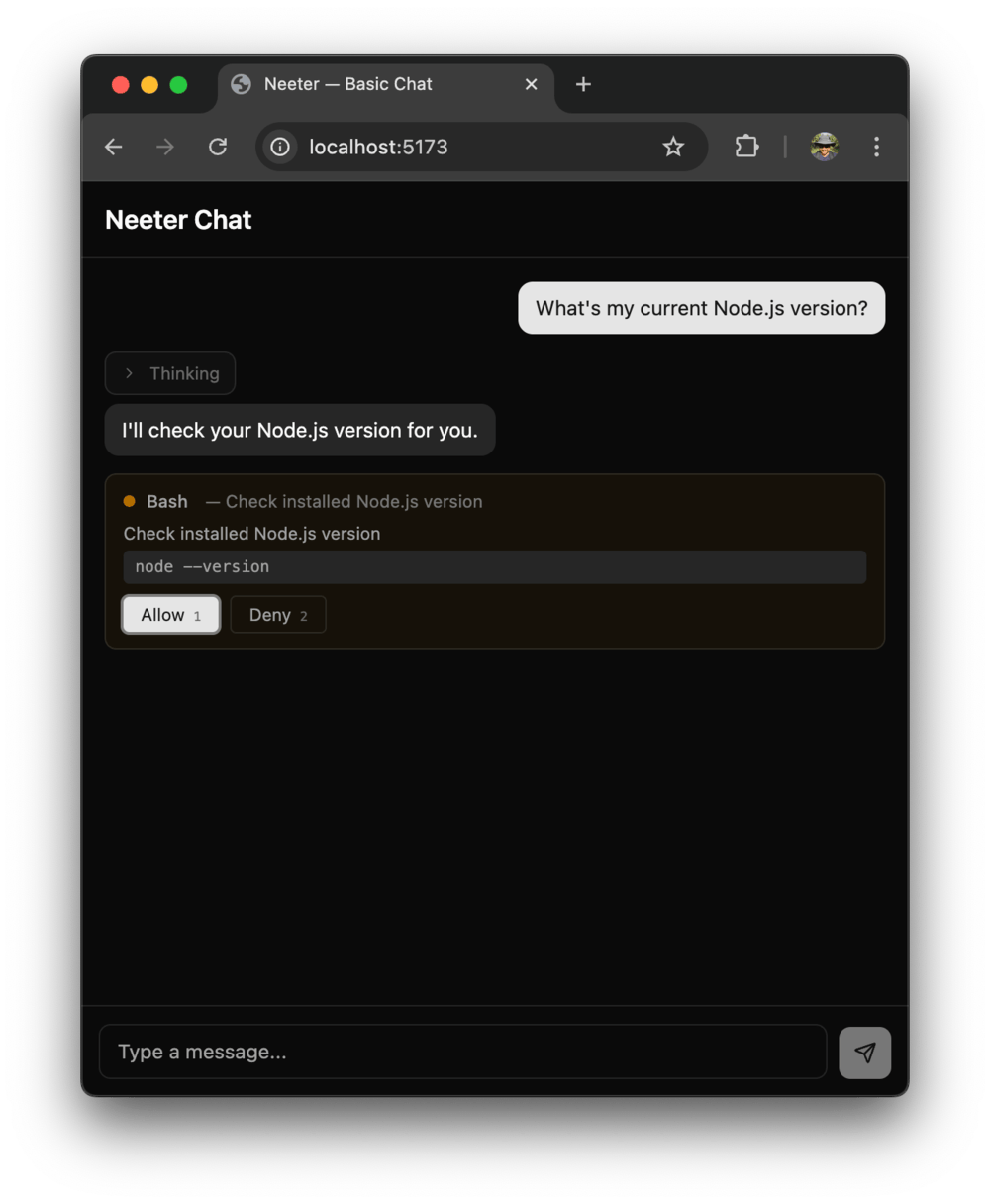 |
| TodoWrite — progress checklist | Thinking — extended reasoning | Approval — Allow/Deny gates |
See all 11 widgets in the Built-in Widgets guide.
Install
# Server
pnpm add @neeter/server

# Client (React — includes ready-made components)
pnpm add @neeter/core @neeter/react

# Client (vanilla TypeScript — no framework)
pnpm add @neeter/core
Peer dependencies — server:
{
  "@anthropic-ai/claude-agent-sdk": ">=0.2.0",
  "hono": ">=4.0.0"
}
Peer dependencies — @neeter/react:
{
  "react": ">=18.0.0",
  "react-markdown": ">=10.0.0",
  "zustand": ">=5.0.0",
  "immer": ">=10.0.0",
  "tailwindcss": ">=4.0.0"
}
Peer dependencies — @neeter/core (standalone):
{
  "zustand": ">=5.0.0",
  "immer": ">=10.0.0"
}
Quick start
Server
The Claude Agent SDK reads your API key from the environment automatically. Make sure it's set before starting your server:
export ANTHROPIC_API_KEY=your-api-keyimport { Hono } from "hono";
import { serve } from "@hono/node-server";
import {
createAgentRouter,
SessionManager,
MessageTranslator,
} from "@neeter/server";
const sessions = new SessionManager(() => ({
context: {},
model: "claude-sonnet-4-5-20250929",
systemPrompt: "You are a helpful assistant.",
maxTurns: 50,
}));
const translator = new MessageTranslator();
const app = new Hono();
app.route("/", createAgentRouter({ sessions, translator }));
serve({ fetch: app.fetch, port: 3000 });Client (React)
import { AgentProvider, MessageList, ChatInput, useAgentContext } from "@neeter/react";

function App() {
  return (
    <AgentProvider>
      <Chat />
    </AgentProvider>
  );
}

function Chat() {
  const { sendMessage } = useAgentContext();

  return (
    <div className="flex h-screen flex-col">
      <MessageList className="flex-1" />
      <ChatInput onSend={sendMessage} />
    </div>
  );
}
Components use Tailwind utility classes and accept className for overrides.
Client (vanilla TypeScript)
import { AgentClient, createChatStore } from "@neeter/core";

const store = createChatStore();
const client = new AgentClient(store, { endpoint: "/api" });

await client.connect();
client.attachEventSource();

store.subscribe((state) => {
  // Re-render your UI on every state change
  render(state.messages, state.isStreaming, state.pendingPermissions);
});

await client.sendMessage("Hello!");
AgentClient is framework-agnostic — use it with Vue, Svelte, Web Components, or plain DOM APIs. See the Client Guide for the full API.
What you can build
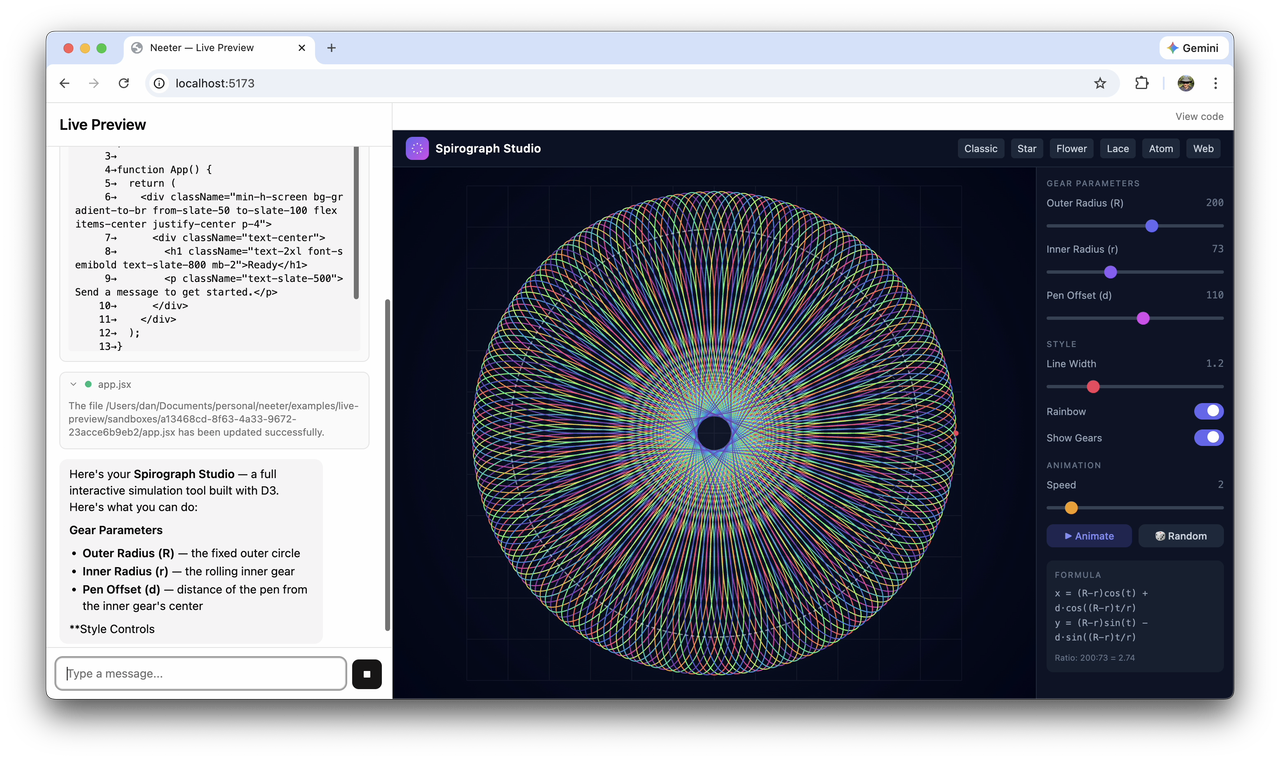
The spirograph studio above was built by Opus 4.6 using the code-workbench example — a split-pane coding assistant with live preview, per-session sandboxes, file checkpointing, and session resume.
Examples
| Example | Description |
|---|---|
| basic-chat | Minimal React chat UI — AgentProvider + MessageList + ChatInput |
| vanilla-chat | Same chat UI using @neeter/core directly — no React, plain TypeScript + DOM APIs |
| code-workbench | Split-pane coding assistant with live preview, per-session sandboxes, persistence, file checkpointing, and code viewer |